
GetResourceAttributes
Summary
The GetResourceAttributes function will retrieve all your resources based on type and provide a row per resource with the full tree/category.
The values will be determined by the following parameters:
- Resource Name (Required)
For more detail on the parameters see the full list of descriptions here.
function (ResourceName as text)Invoking the Function
Here is an example of invoking them using Power Query or through the visual editor.
GetResourceAttributes("BY")
Note:You can fill out the function parameters and click Invoke to create the table automatically. See example below.
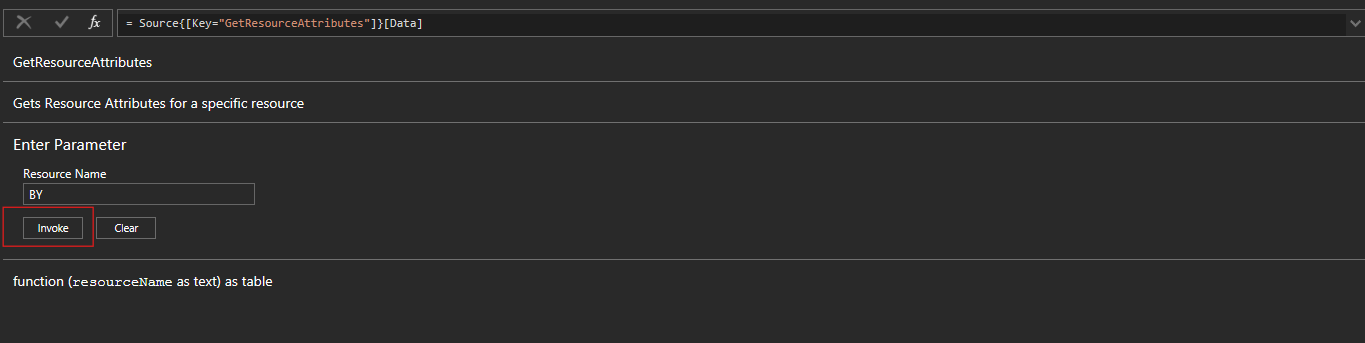
GetResourceAttributes Result
The following field columns will be outputted in a table.

| ResourceId | ResourceName | Tree | Type | AttributeShortName | AttributeName | AttributeValue | isEnabled | dateCreated | dateModified | Row |
|---|---|---|---|---|---|---|---|---|---|---|
| d29dd582-a921-47b8-aa31-db019af8f255 | BY | Customers > 1001 > BY | Customers | SCSCreatedBy | Created By | test16 test | FALSE | 2025-07-16T15:05:16.667 | 2026-02-23T06:55:59.833 | 1 |
| d29dd582-a921-47b8-aa31-db019af8f255 | BY | Customers > 1001 > BY | Customers | SCSCreatedDate | Created Date | 7/16/2025 03:05:16 PM | FALSE | 2025-07-16T15:05:16.667 | 2026-02-23T06:55:59.833 | 2 |
| d29dd582-a921-47b8-aa31-db019af8f255 | BY | Customers > 1001 > BY | Customers | SCSName | Name | BY | FALSE | 2025-07-16T15:05:16.667 | 2026-02-23T06:55:59.833 | 3 |
| d29dd582-a921-47b8-aa31-db019af8f255 | BY | Customers > 1001 > BY | Customers | SCSAddress1 | Address 1 | test | FALSE | 2025-07-16T15:05:16.667 | 2026-02-23T06:55:59.833 | 4 |
| d29dd582-a921-47b8-aa31-db019af8f255 | BY | Customers > 1001 > BY | Customers | SCSAddress2 | Address 2 | test4 | FALSE | 2025-07-16T15:05:16.667 | 2026-02-23T06:55:59.833 | 5 |
| d29dd582-a921-47b8-aa31-db019af8f255 | BY | Customers > 1001 > BY | Customers | SCSCity | City | test1 | FALSE | 2025-07-16T15:05:16.667 | 2026-02-23T06:55:59.833 | 6 |
#table({
  "ResourceId",
  "ResourceName",
  "Tree",
  "Type",
  "AttributeShortName",
  "AttributeName",
  "AttributeValue",
  "isEnabled",
  "dateCreated",
  "dateModified",
  "Row"
}, {})
Updated 7 months ago
Did this page help you?